Mail Assistant for Outlook


The add-in function buttons are grouped on the Outlook ribbon and in the right-click menu according to user intuitive, and with minimum number of clicks on the user interface.
We can help you to get a better user experience in Outlook.We focus on maximizing usability, efficiency, responsiveness and user friendlinesswhen using Microsoft Outlook. The add-in function buttons are grouped on the Outlook ribbon and in the right-click menu according to user intuitiveand with minimum number of clicks on the user interface.
Functions of TrustSafe Mail Assistant
for Microsoft Outlook

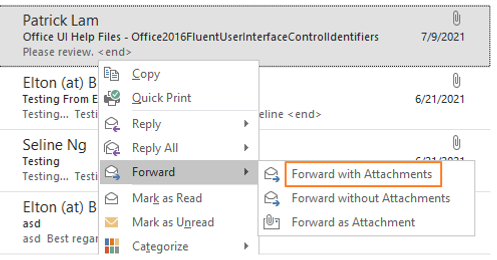
Reply, Reply All and Forward with / without History & Attachments
-
Reply email with sender as recipient only
-
Reply email with content contains mail history and attachments
-
Reply email with only sender put in To field and other email recipients put in CC field.


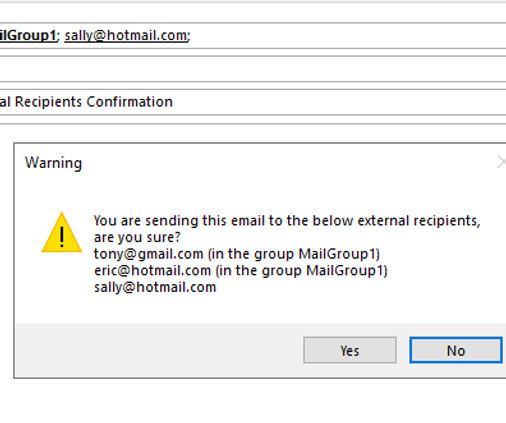
Confirmation for sending email to recipients listed on white list or warning list.
-
Prompt the user for confirmation when an email is sent to recipients which are in a pre-defined warning list.
-
The whitelist and warning list are defined by System Administrators only

Search People with contact details
Enter text to search for people and display a person’s photo, name, job title, department, phone number and notes in the list instantly.

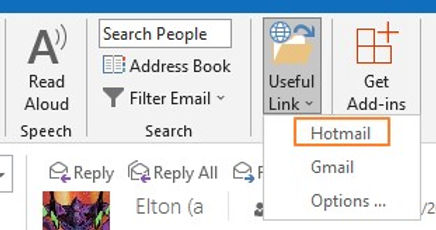
Quick access user's useful links
-
Open pre-defined URLs, which users visit frequently.
-
The URLs are defined by System Administrators and Users



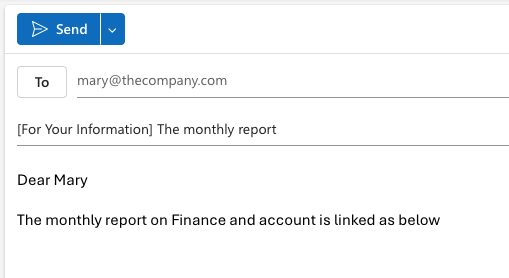
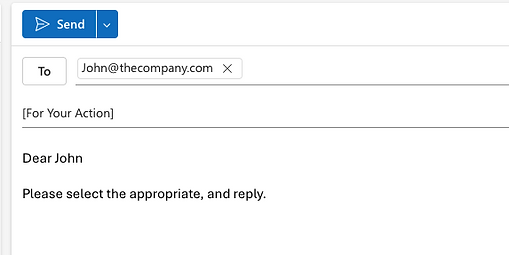
Insert Subject PrefixInsert pre-defined prefix text to the email subject when composing an email.Examples of prefix text are: “(For Action)”, “(For Approval)”, “(For Your Information & Action)” etc.